



Product Overview
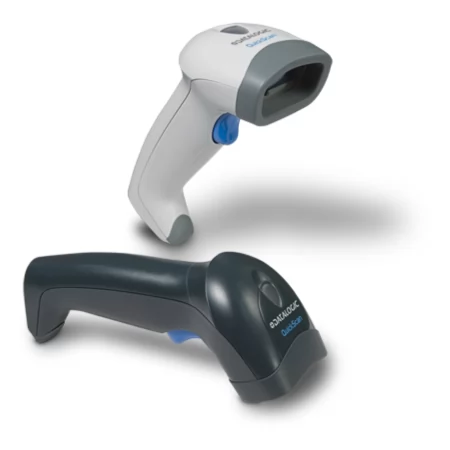
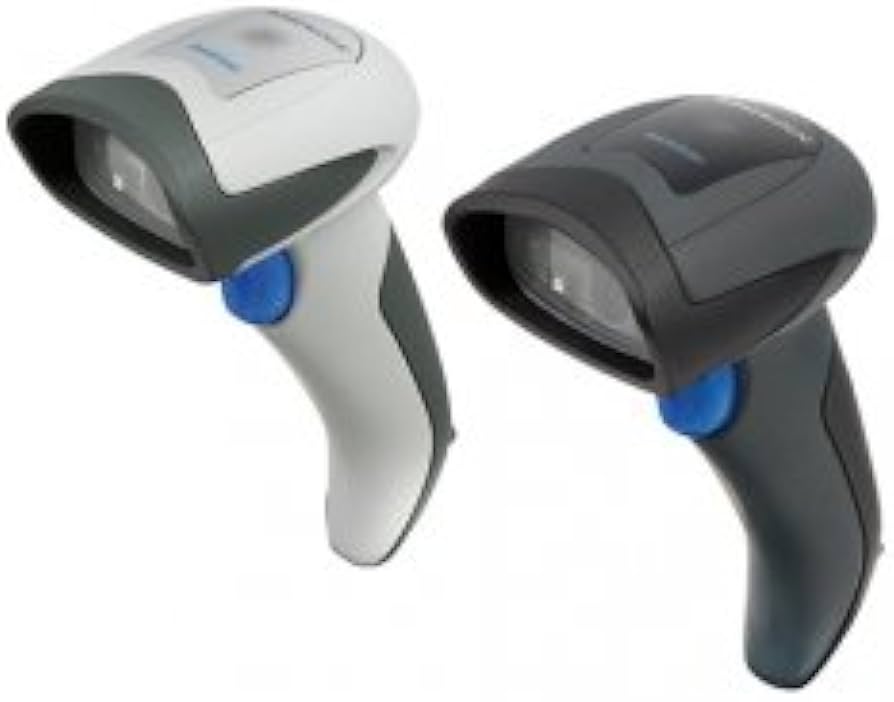
The Data QD2430 is a 2D area imager designed for everyday POS use. It reads printed barcodes on products and labels at the checkout counter and in stock rooms.
Technical Specifications
| Brand: | Data |
| Model: | QD2430 |
| Product Type: | barcode scanner |
| Scan Technology: | 2D area imager |
| Barcode Types: | 1D, stacked and 2D codes including QR Code, Data Matrix and PDF417 |
| Scan Rate: | approximately 100 scans per second |
| Scan Range: | up to 35 cm depending on barcode density and size |
| Interface: | USB with multi‑interface options on certain kits |
| Drop Resistance: | tested for multiple 1.5 m drops onto concrete |
| IP Rating: | IP42 |
Key Features & Benefits
Why Choose This Product?
It helps operators scan barcodes at the till without manual entry, reducing errors and keeping queues moving even at busy times.
Perfect For:
- ✅ Retail checkout counters needing dependable barcode capture for products and loyalty cards.
- ✅ Inventory counting and stock control in small warehouses and stores.
- ✅ Healthcare and pharmacy counters that scan item labels and barcodes.
- ✅ Office reception desks that need fast scanning of documents or ID barcodes.
Standout Specifications:
- ✅ Scanning Performance: approximately 100 scans per second
- ✅ Scan Technology: 2D area imager
- ✅ Working Range: up to 35 cm depending on barcode density and size
- ✅ Protection: tested for multiple 1.5 m drops onto concrete
- ✅ Interfaces: USB with multi‑interface options on certain kits
Looking for more POS equipment? Browse our complete POS equipment collection including barcode scanners, receipt printers, and cash drawers at Al-Lewaa.
Setup & Installation
How to Get Started
- Connect the scanner cable to a USB port or the host interface on your POS system.
- Allow the operating system to detect the scanner as an input device.
- Open your POS or inventory software and place the cursor in the barcode field.
- Scan a test barcode from product packaging or a test sheet to confirm operation.
Compatibility & Integration
Operating Systems: Typical POS installations based on Windows operating systems and other platforms supported by the device driver.
POS Software: Works with common POS applications that support standard POS printers or scanners.
Connection: Uses the documented USB, network or serial connection type of the specific model.
Frequently Asked Questions
What barcode types can this scanner read?
A: It reads standard retail 1D barcodes, and 2D codes if supported by the specific model.
What is the typical scanning range?
A: The effective range covers close‑range reading on product labels, with exact distance depending on the code size and model.
Does it work with my existing POS software?
A: In most cases the scanner works as a keyboard input or through a supported interface in the POS software.
Is it suitable for continuous daily use?
A: Yes, it is intended for use at retail counters and similar environments during normal trading hours.
Why Buy from Al-Lewaa?
- ✅ POS Specialists: Focused on equipment for shops, supermarkets and hospitality businesses in Egypt.
- ✅ Clear Descriptions: Each product is listed with practical POS‑oriented information.
- ✅ Support: Assistance is available to help you match devices to your POS system.
- ✅ Delivery: Shipping options across Egypt for businesses of different sizes.
Reviews
Clear filtersThere are no reviews yet.