





Product Overview
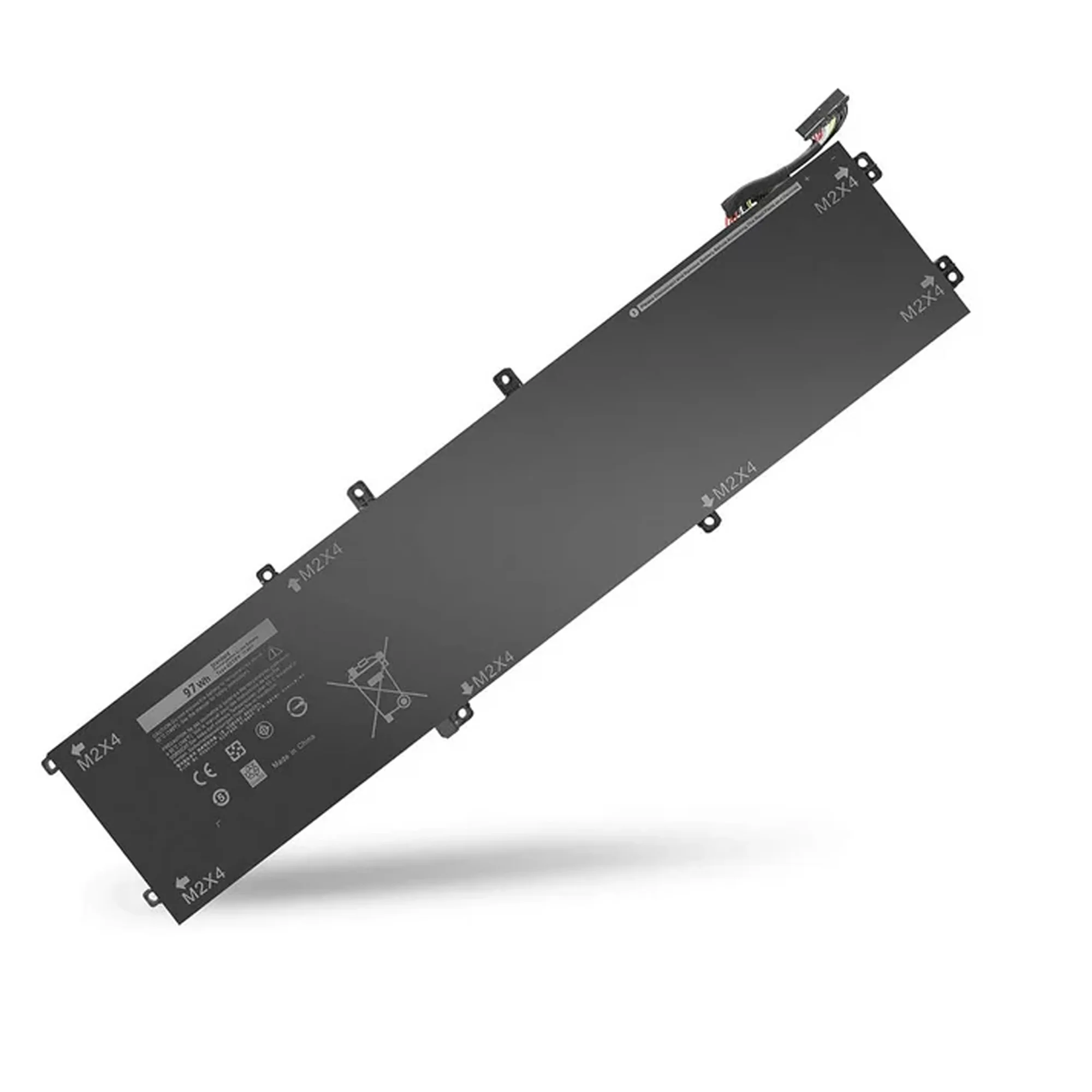
: BT DELL Precision 5510 and 5520 Laptop Battery is a replacement laptop battery designed to help restore practical working time on compatible notebooks. It is suitable for users who want a dependable power source without replacing the entire device.
The battery is intended for everyday office, study and home tasks, giving you the flexibility to work away from the charger when needed.
It is a good option for repair centres, technicians and individual users across Egypt and the Middle East who service or maintain laptops on a regular basis.
Technical Specifications
| Product Type: | Laptop battery |
| Brand: | : |
| Model: | BT DELL Precision 5510 and 5520 |
| Condition: | New replacement unit |
| Voltage: | Designed for compatible laptop platform specifications. |
| Capacity: | Optimised for practical everyday working sessions. |
| Cell Type: | High quality rechargeable cells suitable for notebook use. |
| Compatible Models: | See laptop model information in the product details on the website. |
Key Features & Benefits
Why Choose This Laptop Battery?
This replacement battery is designed for users who want to extend the life of a working laptop instead of buying a new machine.
- ✅ Practical runtime: Helps restore useful unplugged working time on compatible laptops.
- ✅ Replacement friendly: Suitable for repair work and maintenance in workshops or service centres.
- ✅ Stable performance: Built to deliver consistent power output under normal daily workloads.
- ✅ Durable design: Uses quality cells selected for repeated charging and discharging.
- ✅ Certified quality: Produced according to common safety and reliability standards for laptop batteries.
By using a dedicated replacement pack instead of generic options, you help keep the laptop closer to its original behaviour under normal use.
Compatible Devices & Uses
✅ Works with: Supported laptop models listed in the product information, when installed correctly and used with the original charger.
✅ Ideal for: Repair centres, IT departments and users who need reliable portable power during travel, meetings or classes.
Looking for more spare parts? Browse our complete spare parts and consumables collection at Al-Lewaa.
Need matching accessories? Browse our computer accessories category for mice, keyboards and more.
Setup & Usage Guide
How to Use
- Shut down the laptop completely and disconnect the charger and any connected accessories.
- Remove the old battery carefully following the laptop manufacturer guidelines.
- Install the new battery in the battery bay or internal compartment as required.
- Reconnect the charger and allow the battery to charge before regular use.
⚠️ Note: Avoid short circuits, physical damage or exposure to heat, and always follow basic battery safety advice.
Frequently Asked Questions (FAQ)
Q1: Is this an original or compatible replacement battery?
A: It is a new replacement unit designed to work with the supported laptop models.
Q2: How long does the battery last on a full charge?
A: Runtime depends on the laptop model and workload, but it is intended for typical everyday use.
Q3: Do I need to calibrate the battery?
A: Some users prefer to perform an initial full charge and discharge cycle to help the system estimate remaining time.
Q4: Can I keep the laptop plugged in all the time?
A: It is generally safe to keep it connected to power, but moderate unplugged use can be helpful for long term performance.
Q5: Is this battery safe for air travel?
A: It is designed according to common safety standards, but always follow airline and airport regulations for electronic devices.
Quality & Certifications
- ✅ : quality control or equivalent manufacturing standards.
- ✅ Tested for correct fit and stable performance on compatible laptops.
- ✅ Built with safety in mind when used as instructed.
- ✅ Suitable for professional repair and maintenance work.

Reviews
Clear filtersThere are no reviews yet.